Documentation
Feedbackie is a service for collecting feedback and bug reports on articles, developed using Laravel and the FilamentPHP admin panel. It can be useful for bloggers and website owners who want to improve their content. You can use our cloud solution or self-host open source version.
Essentially, the tool has two functions:
-
Collecting bug reports: Easily gather error corrections from your website visitors
-
Collecting feedback on content usefulness: Track how useful your site users find the materials.
No matter how many times we try to proofread written articles, they still contain grammatical errors, inaccuracies, missing punctuation marks, and the like. It would be great if users who read an article and notice an error could suggest a correction. Feedbackie allows you to highlight text on a page, correct the error in it, and then send the correction to the administrator.
Here is simple example:
Additionally, the tech industry is constantly evolving and information in articles becomes outdated. Using the feedback tool, you can find out which articles need to be rewritten or updated.
Integration to your website
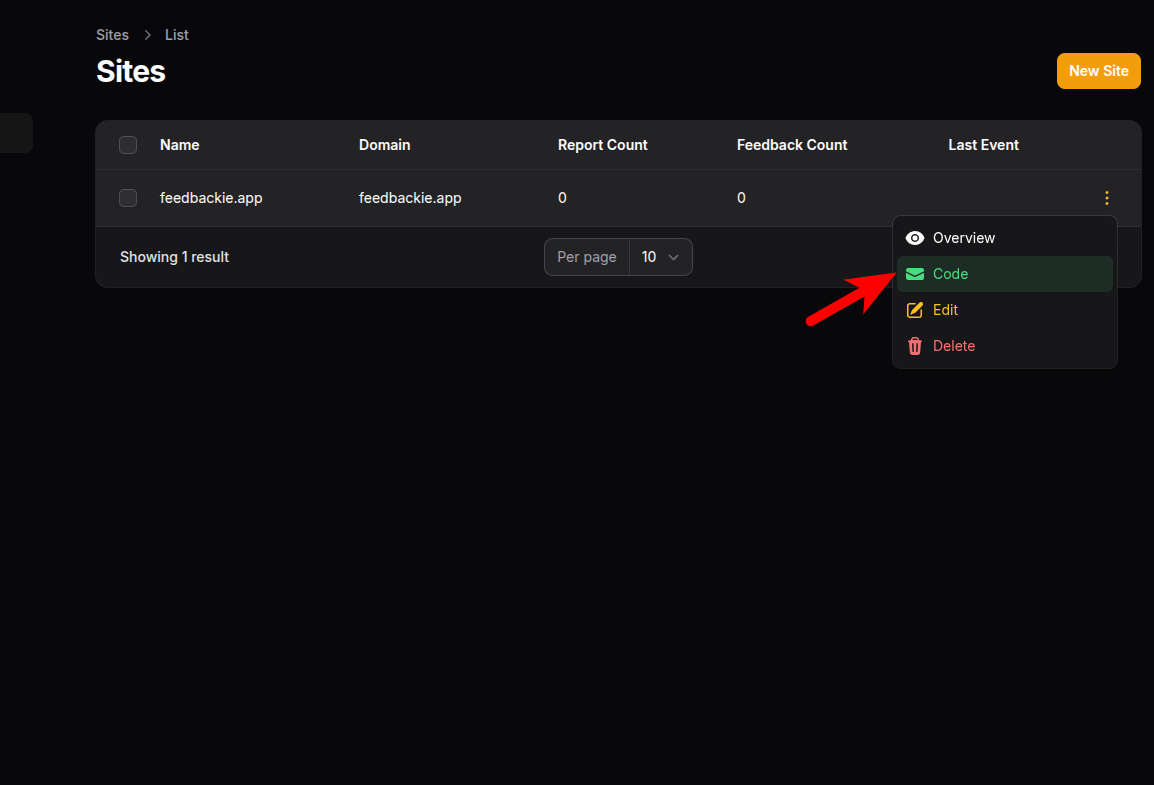
Integrating the tool into a website is quite simple. You just need to specify the HTML element identifiers where the text with information on how to send a bug report will be inserted, as well as where to insert the popup with a question about the article's usefulness in the code builder. Select the site in the admin panel, then click on the Code option in the context menu:
Fill in the HTML element identifiers where you want to insert the blocks:
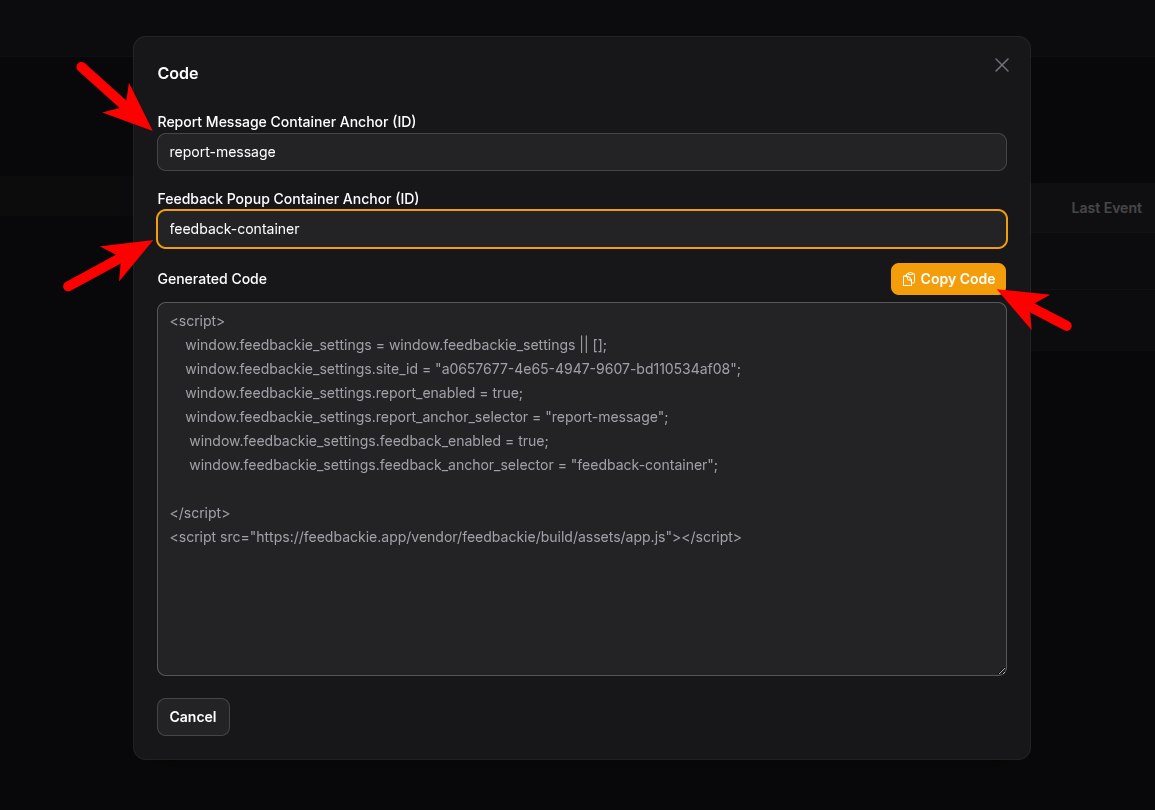
Next, you need to copy the generated code and paste it into the website's footer on those pages where you want to use the tool.
Running using Docker
You can use our Cloud solution, and then you'll only need to follow the steps described above. Or you can deploy a self-hosted open-source version on your own server. To see how everything works, you can deploy the application using docker:
mkdir feedbackie
cd feedbackie
mkdir data
docker run -it --rm -v ./data:/data -p 80:80 seriyyy95/feedbackie-app:latest
Note that the application stores its data in the data directory, which must be created and mounted in the container before the first run. By default, an SQLite database is used. The application will automatically create a user with the login "admin" and password "password" and you'll be able to log in at localhost.
More info about running the self-hosted version you can find on our GitHub page: https://github.com/feedbackie/feedbackie-app
If you have found bug in the application, please create issue using this link.